
Finding the right smart home devices for modern living comes down to solving real daily friction: lowering electric bills, tightening household security, and cutting out repetitive chores.
Setting up an automated space often feels overwhelming with thousands of connected gadgets flooding the market.
Whether you are starting from scratch or upgrading an existing ecosystem, building a functional modern home requires a targeted strategy focused on interoperability, long-term energy savings, and daily convenience.

Key Takeaways
- Universal Standards First: Matter and Thread compatibility ensure your devices work seamlessly across Apple Home, Google Home, and Amazon Alexa.
- Energy ROI: Smart thermostats and intelligent lighting offer the fastest financial return on investment.
- Layered Security: High-definition video doorbells and smart locks eliminate common physical vulnerabilities.
- Practical Automation: True modern living relies on hands-off background routines rather than constant phone app interactions.
Why Upgrade to Smart Home Devices for Modern Living Today?
Modern home automation has evolved past novelty voice commands and colorful party light bulbs.
Today, ambient computing allows your living space to adapt to your habits automatically, reducing energy waste and securing your entry points without requiring constant manual control.
Integrating unified systems reduces residential power usage significantly.
According to research on energy management from the U.S. Department of Energy, optimizing heating and cooling schedules through automated controls remains one of the most effective ways for homeowners to reduce baseline utility expenses.
Beyond financial savings, modern hardware acts as a silent digital assistant that handles routine home maintenance tasks autonomously.
Which Smart Home Devices Matter Most for Daily Efficiency?
Targeting specific high-impact operational areas creates an immediate difference in your daily routine. Prioritizing these foundational categories ensures maximum utility without cluttering your wireless network.
++ How to organize a small living room
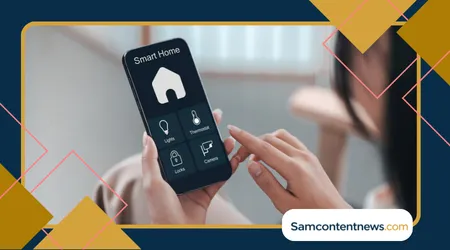
1. Centralized Hubs and Controller Ecosystems
Your smart home requires a reliable brain to orchestrate communication between different brands.
Choosing hardware built on modern local protocol standards ensures your automations continue running even if your internet connection drops momentarily.
Core Function: Routes signals, manages local automation scripts, and provides single-app dashboard access across all connected hardware.
Read more: Simple home downsizing tips for a Fresh Start
Top Protocol to Look For: Thread border router functionality combined with universal Matter support for cross-brand integration.
Practical Benefit: Allows sensors from one manufacturer to trigger lights or alarms from another instantly without relying on cloud servers.
2. Intelligent Climate and Energy Management
Heating and cooling account for over half of a standard home’s total energy consumption.
Smart thermostats utilize occupancy sensors, historical usage patterns, and regional weather forecasts to adjust temperatures dynamically throughout the day.
Ecobee Smart Thermostat Premium: Uses remote room sensors to eliminate hot and cold spots while monitoring indoor air quality continuously.
++ Essential packing tips for mature travelers
Nest Learning Thermostat: Learns your daily temperature preferences automatically and adjusts cooling profiles when built-in motion sensors detect you have left the house.
Smart Radiator Valves and Vents: Allow room-by-room zone control so you stop heating unused guest rooms or basements.
3. Automated Entry and Perimeter Security
Securing entryways demands reliable hardware that provides real-time access logs, temporary entry codes, and immediate intrusion notifications directly to your phone.
Smart Locks: Biometric readers, hands-free proximity unlocking, and temporary digital keypad codes eliminate physical key vulnerabilities.
Video Doorbells: On-device artificial intelligence detects packages, vehicles, pets, and people without requiring expensive monthly cloud storage subscriptions.
Floodlight Cameras: Combine high-lumen illumination with loud deterrence sirens to secure vulnerable driveways and backyard perimeters.
4. Adaptive Lighting Systems
Smart switches and bulbs improve home security through vacation presence simulation while reducing ambient energy consumption.
- In-Wall Smart Switches: Best for main living areas because they keep traditional light switches functional for guests while preserving smart routines.
- Smart Color Bulbs: Ideal for lamps and accent areas where color temperature adjustments support healthy circadian rhythms by shifting from bright daylight white to warm evening tones.
- Motion and Light Sensors: Trigger low-level pathway lighting automatically when someone wakes up to walk down a hallway at night.
5. Automated Cleaning and Floor Maintenance
Modern robot vacuums handle daily maintenance chores automatically, freeing up hours of personal time every week.
LiDAR Navigation: Maps floor plans precisely to clean around furniture and navigate in complete darkness.
Self-Emptying Docks: Collect dust, wash mop pads, and refill water reservoirs automatically for weeks of hands-off floor care.
Obstacle Avoidance: Uses computer vision to identify and bypass stray cables, shoes, and pet accidents safely.
How Do Top Smart Home Categories Compare?
Evaluating hardware across core metrics helps streamline your purchasing decisions based on immediate household needs and installation requirements.
| Category | Primary Benefit | Installation Complexity | Energy Impact | Key Protocol Standard |
| Smart Thermostats | Automated climate savings | Moderate (C-wire required) | High ($100–$180/yr saved) | Matter over Wi-Fi |
| Smart Locks | Keyless entry & monitoring | Low to Moderate | Low | Thread / Zigbee |
| Lighting Controls | Ambiance & automatic schedules | Low (Bulbs) / High (Switches) | Moderate | Matter / Thread |
| Robot Vacuums | Autonomous floor cleaning | Low (Plug and play) | Low | Wi-Fi |
| Leak Detectors | Flood prevention | Low (Surface placement) | High (Prevents loss) | Thread / Z-Wave |
| Smart Plugs | Schedules for legacy appliances | Low (Plug into outlet) | Low to Moderate | Matter / Wi-Fi |
What Common Pitfalls Should You Avoid When Building Your System?
Building a reliable ecosystem requires avoiding frequent integration traps that lead to system latency, device disconnection, or hardware obsolescence.
Buying Isolated Hardware Without Interoperability
Avoid purchasing proprietary devices that only work inside a single manufacturer’s closed application.
Prioritize products explicitly listing Matter certification to ensure cross-platform longevity across Apple, Google, and Amazon platforms.
Overloading Wi-Fi Bandwidth
Connecting dozens of smart devices directly to a standard internet router creates network congestion and drops connections.
Utilize mesh network devices operating on dedicated low-power mesh protocols like Thread or Zigbee to keep your main Wi-Fi band completely clear for high-bandwidth streaming, gaming, and remote work.
Neglecting Local Privacy Controls
Data security matters when placing cameras, smart displays, and microphones inside living areas.
Review hardware specifications to ensure your equipment supports local video processing and encrypted credential storage.
Detailed guidance on consumer data protection policies is published regularly by the Federal Trade Commission, to help users safeguard their connected environments.
How to Set Up Your Core Smart Home System Step-by-Step
Establishing an efficient automated house works best when executed in logical phases rather than buying dozens of components all at once.
Phase 1: Audit Your Infrastructure
Ensure strong, reliable wireless signals reach your exterior doors, garage, and thermostat locations before buying hardware.
Upgrading to a modern mesh Wi-Fi system prevents communication drops later when adding dozens of connected sensors.
Phase 2: Select Your Primary Assistant Ecosystem
Choose between Apple Home, Amazon Alexa, or Google Home based on the smartphone operating systems and primary voice devices used daily in your household.
Ensure every major device purchase supports this main platform natively.
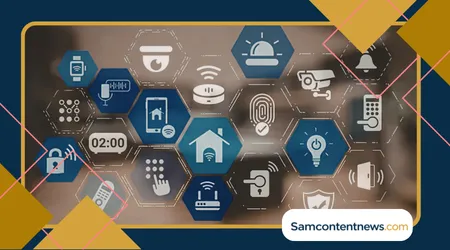
Phase 3: Install Core Climate and Security Upgrades
Upgrade your main thermostat and front door lock first. These two devices provide immediate financial return on investment, elevate day-to-day security, and offer the highest tangible convenience from day one.
Phase 4: Automate Ambient Lighting and Power
Replace key high-use light switches with smart in-wall controls to schedule night routines. Add smart plugs to control legacy floor lamps, space heaters, or coffee makers automatically based on daily schedules.
Phase 5: Build Multi-Device Automation Routines
Create simple automated routines that run silently in the background without needing manual voice commands or phone app taps.
For example, construct a “Goodnight” routine that locks all exterior doors, lowers thermostat temperatures, turns off interior lights, and arms security sensors simultaneously at a set time every evening.
Frequently Asked Questions
Do smart home devices work if the internet goes down?
Devices using local protocols like Thread, Zigbee, or local Matter controllers continue executing pre-programmed automations, motion sensor triggers, and physical button inputs even without an active internet connection.
Remote phone access outside the house and cloud-dependent voice processing will pause until connection restores.
How much money do smart home devices actually save on electricity?
ENERGY STAR certified smart thermostats save homeowners an average of 8% to 12% on heating and cooling costs annually.
Combining smart climate control with automated lighting schedules, smart power strips, and energy-monitoring plugs yields measurable drops in monthly utility bills within the first quarter of use.
What is the difference between Matter and Thread?
Matter is an open-source application layer (the shared language that allows devices from different brands to understand each other).
Thread is a low-power, secure wireless networking protocol (the wireless road that carries those messages). They work together to deliver fast, reliable local control without crowding your Wi-Fi network.
Can I install smart switches if I live in a rental property?
Smart light bulbs, wireless smart buttons, and plug-in pass-through modules offer full automation without touching permanent wiring, making them ideal for renters.
Save permanent in-wall switch and hardwired lock installations for properties where you have permission to modify electrical wiring and door hardware.
++ The Best Smart Home Devices for 2026
++ Best Smart Home Devices of 2026: Everyday Upgrades