
Home automation for beginners offers an accessible entry point into modern smart living, turning everyday residential routines into efficient, automated tasks through interconnected technologies.
Modern hubs connect lighting, security, and climate controls through unified wireless protocols, making home management simpler than ever.
Beginners often feel overwhelmed by choices, yet starting small yields immediate practical benefits.
Simple initial upgrades reduce energy waste, boost convenience, and improve daily home security routines without requiring expensive hardwiring or complex technical installations.
Table of Contents
- What Is Home Automation for Beginners?
- How Does a Smart Home System Function?
- Which Essential Devices Should You Buy First?
- How to Choose the Right Ecosystem
- Why Is Network Security Important for Smart Homes?
- Frequently Asked Questions
- Conclusion
What Is Home Automation for Beginners?
Starting your journey into modern smart technology transforms standard living spaces into responsive environments.
Modern hubs connect lighting, security, and climate controls through unified wireless protocols.
Beginners often feel overwhelmed by endless product choices, yet starting small yields immediate practical benefits.
Simple upgrades reduce energy waste, boost convenience, and improve daily home security routines.
Building an interconnected residence no longer requires complex electrical hardwiring or professional installation teams.
Consumer-friendly wireless standards allow anyone to establish a functional setup within hours.
Understanding core communication standards helps you select compatible devices from the start. Wi-Fi, Zigbee, Z-Wave, and Matter represent the primary protocols powering current connected residential devices.
Matter has emerged as the universal connectivity standard, unifying major technology brands across platforms.
This protocol ensures devices operate reliably together regardless of their original manufacturer brand.
Investing in compatible hardware prevents early technical frustration and saves money over time.
Selecting a primary smart assistant ecosystem simplifies controlling your growing network of automated hardware.
Smart home adoption has accelerated worldwide as hardware costs decrease and setup procedures simplify.
Modern platforms emphasize intuitive mobile applications that guide users through initial setup steps.
Focusing on high-utility areas yields the best return on your initial smart hardware investment.
Automatic lighting routines and programmable climate management provide immediate comfort and ongoing utility savings.
A thoughtful approach prevents common pitfalls like buying incompatible devices or cluttering Wi-Fi networks.
Incremental additions allow you to learn system management without overwhelming your home network.

How Does a Smart Home System Function?
Smart systems rely on three primary components working together: sensors, controllers, and physical actuators.
Sensors detect physical changes, controllers process logic commands, and actuators perform desired mechanical actions.
A motion sensor detecting activity triggers a smart controller to turn on connected hallway lights.
This seamless chain reaction happens within milliseconds, creating an intuitive living experience for occupants.
++ Top low maintenance indoor plants
Centralized controllers manage routine automation schedules and process immediate real-time manual inputs.
Cloud servers handle complex computational tasks, while local hubs execute time-sensitive automation routines offline.
Local control processing ensures critical automated schedules run smoothly even during internet outage periods.
Selecting platforms supporting local automation execution increases overall system reliability during network disruptions.
Mobile applications function as user control interfaces, letting you monitor conditions from anywhere globally.
Intuitive dashboard layouts display current temperature readings, door security statuses, and overall power consumption.
Voice assistants add convenient hands-free interaction, enabling quick adjustments through simple spoken vocal phrases.
Combining voice inputs with automated sensor routines creates a flexible, highly accessible living environment.
Automation routines execute actions automatically based on specific triggers, schedules, or precise geometric locations.
Geofencing commands automatically lower indoor temperatures and arm security sensors whenever you leave home.
Understanding trigger conditions allows you to build custom automated routines tailored around daily habits.
Morning routines can gradually raise window blinds, adjust thermostat settings, and turn on kitchen illumination.
Smart devices continuously communicate system statuses back to central control applications for real-time monitoring.
Consistent status updates ensure users receive immediate notifications regarding unexpected home security events or leaks.
Which Essential Devices Should You Buy First?
Selecting core devices establishes a strong functional foundation for your future home automation expansion.
Prioritize hardware that offers daily practical value, easy installation, and strong platform integration support.
Smart lighting represents the easiest starting point for any beginner entering home automation technology.
Connected LED bulbs allow precise brightness scheduling, color adjustments, and automated energy-saving control routines.
Smart plugs transform standard appliances into automated tools without requiring expensive equipment replacement costs.
Plugging lamps, fans, or coffee makers into smart outlets adds immediate remote scheduling capabilities.
Programmable smart thermostats optimize indoor climate management, significantly reducing annual household energy usage costs.
++ Best lighting ideas for comfortable home
These intelligent climate devices adapt heating and cooling schedules based on real-time household occupancy patterns.
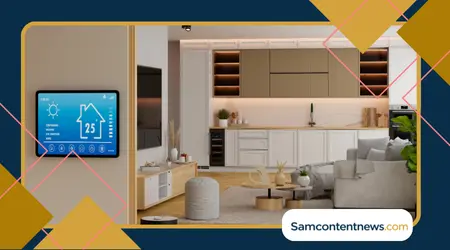
The table below outlines fundamental smart devices, their primary wireless communication protocols, and typical utility benefits:
| Smart Device Category | Primary Protocols | Core Practical Benefit | Difficulty Level |
| Smart Plugs | Wi-Fi, Matter | Remote power control for legacy appliances | Very Easy |
| Smart Lighting | Zigbee, Matter, Wi-Fi | Automated schedules and energy reduction | Easy |
| Smart Thermostats | Wi-Fi, Matter | Dynamic climate control and utility savings | Moderate |
| Motion Sensors | Zigbee, Z-Wave, Thread | Hands-free automation triggers and safety | Easy |
| Smart Door Locks | Z-Wave, Thread, Bluetooth | Keyless entry access and remote security | Moderate |
Smart security cameras and video doorbells provide visual verification and remote entry monitoring capabilities.
Modern units feature local video storage options, advanced motion detection filters, and clear two-way audio communication.
Contact sensors mounted on doors and windows strengthen residential security while triggering internal climate adjustments.
Read more: How to online bankiuse ng safely from Home
For example, opening a window automatically pauses connected thermostat cooling cycles to preserve energy.
Smart door locks offer keyless entry convenience, temporary visitor access codes, and remote locking capabilities.
Combining smart locks with video doorbells enables secure package deliveries directly inside your home entrance.
Water leak detectors safeguard residences by identifying plumbing drips before costly structural water damage occurs.
Placing small wireless sensors near washing machines and water heaters provides essential early flood warnings.
Expanding your device collection systematically prevents network congestion while letting you master each component.
Adding one functional device category per month keeps installation manageable and budget costs predictable.
How to Choose the Right Ecosystem: Home automation for beginners
Selecting a smart home ecosystem forms the software backbone for managing all connected home technology.
Major platforms like Amazon Alexa, Apple Home, Google Home, and SmartThings offer distinct operational advantages.
Evaluating your personal mobile phone operating system helps narrow down the most compatible ecosystem choices.
Apple users often prefer Apple Home for tight iOS integration, privacy features, and local control.
Android users frequently gravitate toward Google Home due to native voice assistant integration across devices.
Meanwhile, Amazon Alexa offers broad third-party device compatibility, making it popular for mixed-hardware households.
Consider ecosystem hardware compatibility lists before purchasing specialized smart products for your living room.
Ensuring full cross-platform compatibility prevents purchasing locked hardware that requires separate control applications to manage.
The Connectivity Standards Alliancemaintains official technical specifications for cross-brand hardware interoperability standards.
Checking certified device databases guarantees reliable multi-brand integration across modern smart home setups.
Hub-based platforms provide advanced local processing capabilities, reducing external cloud server reliance for daily tasks.
Dedicated automation hubs keep complex routine executions functioning smoothly, even when offline local connections drop.
User interface design varies significantly across ecosystems, affecting daily interaction satisfaction for primary family members.
Test mobile applications thoroughly to ensure dashboard layouts feel natural and easy for everyone.
Multi-user management features allow housemates to control smart devices without sharing primary account passwords.
Assigning individual user access permissions protects core network settings while keeping daily controls accessible.
Ecosystem flexibility determines how easily you can migrate hardware platforms if your technology preferences shift.
Choosing Matter-certified hardware protects your initial equipment investment from vendor lock-in over long usage periods.
Why Is Network Security Important for Smart Homes?
Securing your connected home network protects personal privacy and prevents unauthorized remote access to devices.
Cyber security fundamentals ensure automated doors, cameras, and sensors remain safe from external digital threats.
Isolating smart equipment onto a separate guest Wi-Fi network prevents compromised hardware from accessing personal computers.
Dedicated guest networks keep personal files, financial data, and sensitive family communications completely safe.
Changing factory default passwords on hubs and routers eliminates common vulnerability vectors used by automated scanners.
Create complex, unique passwords for every smart application account controlling critical home entry equipment.
Enabling two-factor authentication across smart platform accounts adds essential defense layers against unauthorized login attempts.
Secondary authentication codes prevent unauthorized users from accessing cameras or security routines remotely.
Updating smart device firmware regularly closes newly discovered security vulnerabilities before malicious actors exploit them.
Enable automatic firmware updates whenever available to maintain peak system security without manual tracking.
Disabling unnecessary remote management features reduces potential attack surfaces across your primary internet router setup.
Review network permissions periodically to revoke access from unused applications or outdated smart hardware devices.
Privacy settings within smart assistant applications dictate how voice recordings and usage metrics get processed.
Review platform privacy menus annually to limit data collection parameters while retaining core voice control features.
Physical security for central hubs prevents local tampering by unauthorized visitors inside your residential property premises.
Place primary network routers and smart control hubs inside secure, central locations within your home.
Establishing strong network security protocols creates a dependable foundation for long-term residential automation enjoyment.
Following fundamental security practices protects household privacy while unlocking full smart home efficiency benefits.
Frequently Asked Questions
Is home automation expensive to start for beginners?
No, beginners can build functional smart systems for under one hundred dollars using basic smart plugs and bulbs.
Incremental upgrades allow homeowners to expand automated capabilities over time while keeping individual costs minimal.
Do I need internet access for smart devices to function?
Basic routines and local switches work without internet, but remote access requires stable Wi-Fi network connections.
Local hubs continue running basic automation schedules during outages, but cloud-dependent voice controls temporarily stop responding.
Can I install smart home devices in a rental property?
Yes, non-permanent smart devices like smart plugs, wireless bulbs, and adhesive sensors fit rental apartments perfectly.
Portable smart hardware installs quickly without modifying wall wiring or violating temporary residential rental lease agreements.
What is Matter, and why does it matter for beginners?
Matter is an open-source interoperability standard enabling smart hardware to work seamlessly across major platform ecosystems.
Buying Matter-certified devices ensures long-term compatibility across Apple Home, Amazon Alexa, Google Home, and SmartThings platforms.
How many smart devices can my Wi-Fi router support?
Standard ISP routers handle fifteen to twenty smart devices before experiencing noticeable network latency or performance drops.
Expanding beyond twenty devices usually requires upgrading to mesh Wi-Fi networks or using Zigbee protocols.
What happens to smart home devices during power outages?
Smart devices shut down during electrical power outages and resume normal automated operation automatically once power returns.
Backup uninterruptible power supplies keep core internet routers and smart security hubs running during temporary blackout periods.
Conclusion
Embracing home automation simplifies daily domestic routines while delivering measurable energy savings and improved home security.
Starting with simple smart plugs and bulbs allows you to master technology basics without overcomplicating initial installations.
Selecting Matter-certified devices guarantees smooth cross-platform compatibility as your home automation ecosystem expands over time.
Securing smart home networks through isolated guest Wi-Fi channels ensures household privacy remains thoroughly protected.
Exploring verified security resources through the Federal Trade Commission helps maintain robust digital privacy habits across smart environments.
++ Home Automation For Beginners: Create Your Own Smart Home
++ What do you need to start with a DIY home automation project