
Learning practical online safety tips for active adults ensures you enjoy digital convenience without falling prey to identity theft or financial scams.
Staying connected digitally keeps us linked to family, managed schedules, and online hobbies. However, modern cyber threats constantly target mature web users who lead active online lives.
Protecting your personal data requires proactive habits rather than complex technical knowledge. This guide delivers actionable security strategies tailored to today’s digital environment.
Key Takeaways
- Strong Authentication: Multi-factor authentication stops unauthorized logins immediately.
- Smart Device Hygiene: Routine software updates close security vulnerabilities.
- Scam Recognition: Identifying urgency cues prevents phishing traps.
- Privacy Controls: Social media settings protect sensitive personal details.
What are the most common cyber threats targeting active adults today?
Cybercriminals frequently target active older adults because they often possess established credit, savings, and consistent online shopping habits.
Understanding these threat vectors helps you spot danger before damage occurs.
Phishing attacks remain the leading method for credential theft. Fraudulent emails and text messages mimic legitimate banks, delivery services, or government agencies to trick you into revealing personal information.
Smishing (SMS phishing) has surged alongside mobile browsing. Fraudulent text messages regarding missed packages or urgent account suspensions lure users to fake login pages designed to harvest passwords.
Key cyber threat indicators to watch for include:
Phishing Emails: Messages creating artificial urgency around financial or personal accounts.
Smishing Texts: Unexpected text messages requesting immediate link clicks.
Malicious Ads: Fake software updates or pop-ups prompting malware downloads.
Impersonation schemes also target online active adults through social media and messaging platforms.
Attackers duplicate friend profiles or send compromised messages urging immediate financial assistance or investment opportunities.
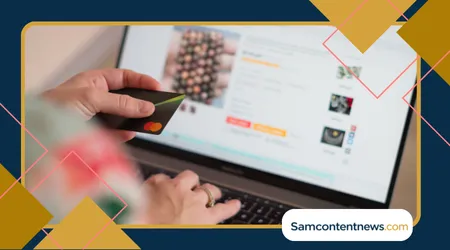
Why is traditional password management no longer enough? online safety tips for active adults
Relying solely on memorized passwords creates significant security gaps. Reusing passwords across multiple accounts allows a single data breach to compromise your entire digital presence.
Modern security relies on password managers to generate and store complex, unique credentials for every service. These tools encrypt your vault, requiring only one master key to access all logins securely.
Multi-factor authentication (MFA) adds a vital layer of protection beyond passwords.
When enabled, logging in requires both your password and a unique temporary code sent to your phone or generated by an authenticator app.
According to cybersecurity guidance from the Cybersecurity and Infrastructure Security Agency (CISA), implementing multi-factor authentication significantly reduces the risk of unauthorized account access, making it one of the most effective security measures available.

How can you secure your mobile devices on the go?
Active lifestyles mean using smartphones and tablets in public spaces like coffee shops, airports, and community centers.
++ How to restart your life after 50 with Confidence
Public Wi-Fi networks present distinct risks because unencrypted data traffic can be intercepted by nearby malicious actors.
| Security Feature | Primary Benefit | Recommended Action |
| Virtual Private Network (VPN) | Encrypts internet traffic on public Wi-Fi | Turn on whenever connecting to non-home networks |
| Biometric Locks | Prevents physical unauthorized access | Enable facial recognition or fingerprint scanning |
| Automatic Updates | Patches software security vulnerabilities | Set operating system and apps to update automatically |
| Location Services Controls | Limits tracking by third-party apps | Restrict location access to “Only While Using App” |
Avoid entering sensitive financial information or logging into bank accounts while connected to open public networks without encryption protection.
Utilizing cellular data instead of public Wi-Fi offers a significantly safer connection for sensitive transactions.
Which social media privacy settings actually protect your personal life? online safety tips for active adults
Sharing updates, photos, and travel plans keeps friends and family connected. Oversharing, however, provides bad actors with answers to security questions and details about when your home might be vacant.
Reviewing your privacy settings regularly limits who can view your posts and personal details. Restrict profile visibility exclusively to confirmed friends and family members rather than the general public.
Follow these best practices for sharing updates safely:
- Audit your friend and follower list twice a year to remove unknown accounts.
- Turn off automatic location tagging on real-time photos and status updates.
- Keep phone numbers, email addresses, and home addresses hidden from public profiles.
Be cautious when accepting new friend requests from people you believe you are already connected with online. Verify unusual messages or duplicate requests through a direct phone call before interacting further.
How do you spot modern financial scams and fake websites?
E-commerce offers unmatched convenience, but fraudulent storefronts mimic real retailers with alarming accuracy. Checking specific security indicators before purchasing prevents credit card compromise.
Look closely at website web addresses (URLs) before entering payment details. Misspelled brand names, odd domain extensions, or missing secure connection icons indicate potential counterfeit sites.
Payment methods matter tremendously when shopping online. Credit cards offer far greater consumer fraud protection compared to debit cards, wire transfers, or direct peer-to-peer payment apps.
Before completing a purchase, confirm three key safety indicators:
Ensure the URL begins with “https://” and displays a secure connection icon.
Verify that the retailer provides legitimate contact details and return policies.
Complete transactions using a credit card rather than a debit card for built-in fraud protections.
Legitimate organizations rarely demand immediate payment via gift cards, wire transfers, or cryptocurrency. Threat actors rely heavily on manufactured urgency to bypass your normal critical thinking.
What steps should you take if your information gets compromised? online safety tips for active adults
Acting quickly minimizes damage if you suspect your credentials or financial accounts have been exposed. Immediate mitigation stops attackers from expanding their access.
First, change passwords immediately for compromised accounts and any other services using the same credentials. Ensure the new password uses a complex combination of letters, numbers, and symbols.
Contact your bank or credit card issuers right away to freeze impacted cards and request fresh replacements. Monitoring your statements closely helps spot unauthorized micro-charges early.
Filing an official report provides documentation and helps federal agencies track cybercrime patterns.
You can submit reports through the official Federal Bureau of Investigation Internet Crime Complaint Center (IC3), which coordinates responses to digital fraud schemes.

Frequently Asked Questions
Are password managers actually safe to use?
Yes, reputable password managers use zero-knowledge architecture and strong encryption standards. This design ensures that even the company providing the software cannot view your stored passwords.
Is public Wi-Fi safe if the site uses “https”?
HTTPS encrypts data sent to that specific website, but public Wi-Fi still exposes your device to local network scanning threats. Using a VPN provides full-device network encryption for comprehensive security.
How often should smart devices be updated?
Enabling automatic updates is best. Promptly install software updates as soon as manufacturers release them, as these patches fix critical safety flaws actively exploited by attackers.
What is the safest way to store digital backups?
Follow the 3-2-1 backup strategy: maintain three total copies of your important files, stored across two different media types, with one copy stored securely offsite or in encrypted cloud storage.