
Securing your digital life requires two factor authentication to block unauthorized access effectively today.
Many users ignore this simple step, leaving their personal accounts vulnerable to modern cyber threats.
- What is the Core Mechanism Behind This Security Layer?
- How Does the Verification Process Actually Function Daily?
- Why Should Everyone Activate This Feature Immediately?
- When is the Best Time to Require Multiple Logins?
- Which Authenticator Apps Offer the Best Reliable Protection?
- What Are the Most Common Vulnerabilities to Avoid?
- Frequently Asked Questions
What is the Core Mechanism Behind This Security Layer?
Basic passwords fail because hackers easily guess or steal them through data breaches. Adding another verification step creates a strong barrier against unauthorized logins across your devices.
Combining something you know with something you have defines this security concept perfectly. Passwords represent the knowledge part, while your smartphone acts as the physical possession.
Biometrics offer another excellent validation method for modern digital accounts.
Fingerprints and facial recognition prove your exact identity without requiring easily forgotten passcodes or temporary text messages.
Financial institutions rely heavily on these layered defenses to protect customer assets globally.
Banking applications usually demand a fingerprint scan right after entering your standard login credentials.
Hardware security keys provide the strongest possible defense against account takeovers right now. Plugging a physical key into your computer guarantees your physical presence during the login attempt.
Text messages remain the most widely used validation method despite known security flaws. Attackers can intercept SMS codes through SIM swapping techniques, making them less secure than apps.
Cybersecurity experts strongly recommend avoiding SMS-based codes whenever alternative validation methods exist.
Authenticator applications generate temporary numbers locally on your device without relying on vulnerable cellular networks.
Protecting email accounts must become your highest priority when setting up these defenses. Hackers who breach your primary email can quickly reset passwords for all other linked services.
Enterprise networks deploy these sophisticated verification systems to guard proprietary internal corporate data.
Employees must authenticate their identities multiple times when accessing different departmental databases during work hours.
Traditional security models assumed internal network traffic was inherently safe from outside manipulation.
Zero-trust architecture now demands continuous identity validation regardless of the user’s physical office location.
How Does the Verification Process Actually Function Daily?
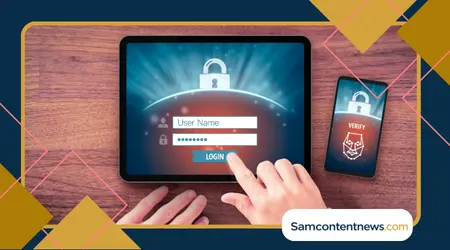
Entering your username and password initiates the standard authentication sequence on any platform.
The system then checks its database to confirm those initial credentials match your registered profile.
Validating the first step triggers a secondary prompt requiring a temporary numerical code. You must retrieve this specific passcode from your chosen authentication application or physical security key.
Time-based algorithms generate new six-digit numbers every thirty seconds within your authenticator app.
Both your phone and the host server calculate these matching codes simultaneously using shared secret keys.
Typing the correct temporary numbers grants immediate access to your protected account dashboard. Entering an incorrect or expired code instantly blocks the login attempt and alerts the system.
Modern systems often remember your trusted personal devices for a specific time period. Saving a secure laptop reduces daily friction by pausing secondary prompts for thirty consecutive days.
Push notifications offer a highly convenient alternative to manually typing six-digit passcodes. Approving a login request simply requires tapping a confirmation button on your registered smartphone screen.
Location tracking adds invisible protection during the secondary validation phase of any login. Systems flag suspicious attempts originating from unusual countries, even if the user provides correct passwords.
Recovery codes serve as your ultimate backup plan if you lose your phone. Printing these static alphanumeric strings and storing them safely prevents permanent lockouts from crucial accounts.
Synchronizing time accurately between your mobile device and the host server remains critical. A clock drift of just one minute causes continuous rejection of your generated temporary codes.
Scanning a QR code during initial setup links your application to the provider. This optical pattern transfers the unique secret key directly into your phone without manual typing.
Why Should Everyone Activate This Feature Immediately?
Data breaches expose billions of passwords on the dark web every single year. Criminals use automated software to test these stolen credentials against countless popular websites almost instantly.
Relying solely on complex passwords no longer guarantees absolute safety online anymore.
Sophisticated phishing campaigns trick intelligent people into revealing their login details through highly convincing fake websites.
Adding a second validation step stops hackers even if they possess your password. Criminals cannot complete the login without physical access to your specific smartphone or hardware key.
Reviewing the National Institute of Standards and Technology guidelines on digital identityreveals crucial baseline requirements.
Government experts explicitly mandate multi-step verification to defend against automated remote network attacks.
Social media hijacking ruins professional reputations and devastates personal relationships very quickly today.
Scammers frequently take over unprotected profiles to trick your friends into sending money or cryptocurrency.
Small businesses face devastating financial losses when criminals breach their internal communication tools.
Securing employee email accounts prevents invoice fraud and protects sensitive client information from unauthorized exposure.
Cloud storage holds our most private photographs and vital tax documents indefinitely. Leaving these digital vaults protected by only a single password invites complete disaster into your life.
Peace of mind remains the greatest benefit of implementing proper digital security measures. Knowing your accounts resist unauthorized access allows you to browse the internet without constant anxiety.
Cyber insurance providers now demand strict verification protocols before issuing enterprise coverage policies.
Companies lacking these basic safeguards face massive premium hikes or complete denial of essential coverage.
++ Best tablets for older adults Easy Comparison
Regulatory compliance frameworks mandate advanced identity validation for handling medical or financial records.
Failing to protect sensitive client data results in devastating legal fines for negligent corporate entities.
When is the Best Time to Require Multiple Logins?
Setting up new devices represents the perfect moment to activate advanced security settings.
Configuring protection layers immediately prevents any future negligence regarding your personal digital safety habits.
++ How to use Google Maps effectively on Mobile
Logging in from public computers demands strict enforcement of secondary validation protocols always.
Shared networks at libraries or cafes often hide malicious software designed to capture keystrokes silently.
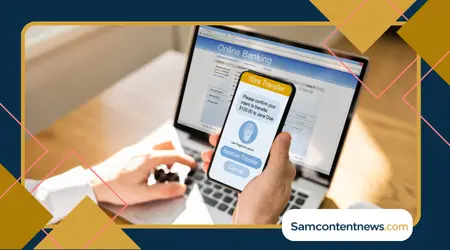
Accessing financial portals must trigger immediate verification requests regardless of the device used.
Moving money or viewing bank statements requires absolute certainty regarding the user’s true identity.
Changing account settings should always prompt another validation step to prevent unauthorized modifications. Hackers try to change recovery emails first, so blocking this action saves your entire profile.
Traveling abroad triggers automated security alerts due to sudden changes in IP addresses.
Systems correctly interpret international login attempts as highly suspicious activities requiring immediate secondary confirmation.
Connecting to corporate networks from home necessitates strict identity verification for remote workers.
Companies enforce these rules to block unauthorized entry into proprietary databases containing sensitive corporate secrets.
Resetting forgotten passwords must always involve a rigorous secondary validation step for safety.
Criminals frequently abuse account recovery processes to hijack profiles without knowing the original login credentials.
Linking third-party applications to your primary accounts opens dangerous new attack vectors immediately.
Authorizing these connections demands strict verification to ensure malicious software cannot silently harvest personal data.
Which Authenticator Apps Offer the Best Reliable Protection?
Choosing the right software determines the effectiveness of your overall digital defense strategy. Several outstanding free applications provide robust security features without compromising daily user convenience at all.
Google Authenticator remains a highly popular choice for beginners seeking straightforward account protection.
Its clean interface makes adding new services remarkably simple through quick QR code scanning features.
Authy offers cloud backup capabilities, solving the dreaded lost phone scenario quite elegantly. Synchronizing tokens across multiple devices ensures you never lose access to your most important accounts.
Read here: How to avoid travel fatigue on Long Trips
Microsoft Authenticator integrates perfectly with enterprise environments and personal Outlook email accounts seamlessly.
Push notification support allows users to approve login requests with a single screen tap.
Open-source enthusiasts frequently prefer Aegis due to its strong privacy policies and transparency. Local encrypted backups give users complete control over their sensitive validation tokens without cloud reliance.
Hardware keys like YubiKey provide unbeatable security for high-risk individuals and corporate executives.
Physical tokens eliminate phishing risks entirely by communicating directly with the specific browser being used.
Duo Mobile dominates the corporate landscape with its highly polished enterprise management features.
IT administrators can easily deploy security policies and monitor suspicious login activities across entire organizations.
Apple devices feature built-in code generators deeply integrated into their native operating system.
iCloud Keychain automatically synchronizes these secure validation tokens across your entire ecosystem of Apple hardware.
| Verification Method | Security Level | Phishing Resistance | Setup Difficulty | Primary Use Case |
| SMS Text Messages | Low | Weak | Very Easy | Legacy Systems |
| Software Authenticator | High | Moderate | Easy | Daily Accounts |
| Push Notifications | High | Moderate | Easy | Enterprise Access |
| Hardware Security Keys | Maximum | Extremely Strong | Moderate | High-Value Assets |
| Biometric Scanners | Maximum | Strong | Very Easy | Mobile Banking |
What Are the Most Common Vulnerabilities to Avoid?
Fatigue attacks trick victims into approving fraudulent login requests through sheer volume. Hackers spam push notifications until the frustrated user accidentally taps the confirm button just to stop them.
Reusing passwords across multiple platforms completely undermines your carefully constructed digital security framework.
A single breached website compromises your login credentials for every other service sharing that passcode.
Losing recovery codes creates a massive headache if your primary phone breaks unexpectedly. Store these printed backup strings in a fireproof safe alongside your physical passports and birth certificates.
Ignoring software updates leaves your validation applications vulnerable to newly discovered coding flaws.
Developers regularly release patches to fix critical security loopholes within your mobile operating system environment.
Falling for sophisticated phishing emails remains a significant threat despite extra security layers.
Malicious websites now capture both your password and your temporary six-digit code simultaneously in real-time.
Attaching hardware keys to infected computers compromises the safety of your validation process. Malware can hijack the active browser session immediately after you physically tap the security token.
Delaying the removal of old devices from your trusted list invites future trouble. Sell or donate smartphones only after completely wiping all connected authentication software and digital tokens.
Sharing validation codes with anyone over the phone guarantees immediate account compromise. Legitimate companies will never call you and demand you read them a temporary security number aloud.
Downloading fake authenticator applications from third-party stores exposes you to immediate massive risks.
Malicious clones silently steal your secret keys and send them directly to overseas cybercriminal servers.
Leaving computers unlocked in public spaces nullifies the benefits of secure login procedures. Thieves simply sit at your active workstation and extract data without needing to bypass passwords.
Frequently Asked Questions
Can someone bypass these secondary security layers?
Determined attackers can intercept SMS messages or use advanced real-time phishing proxies to steal temporary passcodes.
Upgrading to physical hardware keys eliminates most of these bypass techniques effectively.
What happens if I lose my primary smartphone?
Accessing your accounts requires using the backup recovery codes provided during initial setup. Cloud-synced apps also allow restoration on a new device using your master recovery password.
Do these methods work without an internet connection?
Software authenticator applications generate time-based codes locally on your device without needing cellular data.
Hardware keys also function perfectly offline by communicating directly through the computer’s USB port.
Is biometric validation safer than typing temporary codes?
Fingerprints and facial scans offer superior protection against remote attackers trying to breach accounts.
Criminals cannot replicate your unique physical traits over the internet to bypass login screens.
Understanding proper digital hygiene represents the foundation of modern internet safety for everyone.
Consistent vigilance ensures your private data remains securely locked behind impenetrable digital walls permanently today.
Implementing robust two factor authentication methods protects your identity from relentless automated cyber attacks globally.
Shielding valuable assets requires proactive measures rather than reactive panic after a devastating breach.
Exploring the Cybersecurity and Infrastructure Security Agency basics on multi-factor securityoffers excellent further guidance.
Educating yourself constantly builds a resilient mindset capable of defeating sophisticated digital threats effectively.