
Finding the absolute best ergonomic home office setup tips immediately transforms your daily workspace from a persistent source of fatigue into a highly efficient productivity haven.
Honestly, most remote workers severely underestimate how much their physical environment dictates their mental stamina until chronic neck pain finally sets in during busy afternoons.
I have seen countless professionals spend thousands on powerful laptops while awkwardly hunched over a cheap dining chair for eight brutal hours straight every single weekday.
This comprehensive guide covers crucial daily adjustments for desks, chairs, and monitors to fiercely protect your long-term physical health and sustain daily professional focus.
Readers will explore proven posture mechanics, optimal screen positioning, and reliable seating investments designed to significantly upgrade any modern remote working environment without wasting money.
Establishing a genuinely supportive workstation requires moving beyond aesthetic internet boards and focusing purely on strict biomechanical alignment alongside sustainable, everyday physical comfort.
We must treat our daily workspace architecture with the exact same rigorous respect we traditionally give our most ambitious long-term career goals and financial targets.
What is the ideal desk height for preventing shoulder strain?
Properly adjusting your primary desk prevents chronic shoulder tension and keeps your fragile wrists in a neutral, strain-free position throughout the entire demanding workday schedule.
Both of your elbows should naturally rest at a ninety-degree angle whenever you are actively typing on your favorite mechanical keyboard or using a precision mouse.
Setting the work surface excessively high unconsciously forces you to shrug, leading directly to immediate neck stiffness and prolonged muscular discomfort that entirely ruins deep concentration.
Installing a simple adjustable desk frame permanently solves this specific issue by allowing rapid micro-adjustments throughout your incredibly busy professional workday schedule and endless virtual meetings.
| Ergonomic Risk Factor | Physical Consequence | Recommended Setup Solution |
| Unsupported lower back | Lumbar disc compression | Synchronized tilt chair mechanism |
| Dangling ungrounded feet | Thigh nerve pinching | Angled rigid floor footrest |
| Screen positioned too low | Severe cervical neck strain | Articulating pneumatic monitor arm |
| Reaching for the mouse | Anterior shoulder fatigue | Compact tenkeyless keyboard layout |
Finding your exact sitting and standing height presets requires a bit of tedious trial and error during your first dedicated week of active daily workspace use.
Never blindly trust the factory default settings, because your specific torso length and footwear choices drastically alter where that wooden desk surface should comfortably sit.
Ultimately, your forearms need to glide parallel to the floor, floating effortlessly above the keys without requiring your upper shoulders to bear the heavy physical load.

Why do specific ergonomic home office setup tips prevent agonizing back pain?
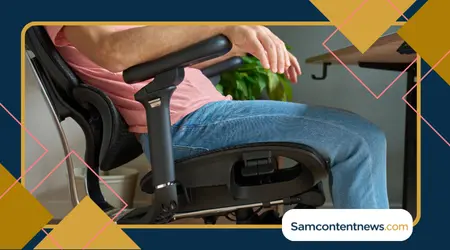
Investing early in dynamic lumbar support accurately maintains the natural inward curve of your lower spine during incredibly long and demanding remote working sessions.
Premium seat depth adjustability guarantees your knees always have enough clearance to maintain proper leg circulation without painfully pinching vital sciatic nerves beneath your heavy thighs.
Ironically, many people buy expensive chairs but never bother to actually calibrate the tension knobs, rendering those premium ergonomic features practically useless for daily physical support.
You should feel physically supported rather than locked into a rigid cage, allowing your torso to sway naturally as you reach for different desk items nearby.
Quality high-density foam cushions efficiently distribute your entire body weight evenly across the wide seat surface without permanently bottoming out over years of heavy daily use.
++ Best lighting ideas for comfortable home
However, a chair can only do so much heavy lifting if your core muscles remain completely disengaged while you stare blankly at complex analytical spreadsheets.
Sitting actively means keeping your feet planted firmly flat on the ground, creating a stable biological foundation that travels straight up your entire spinal column.
Too often, I catch myself crossing my legs under the desk, an innocent habit that completely destroys pelvic alignment and invites serious long-term hip misalignment.
How does optimal monitor positioning immediately reduce severe eye strain?
Positioning your main computer screen exactly at eye level keeps your delicate cervical spine perfectly aligned and completely relaxed during intensive writing or software coding tasks.
Constantly looking down for extended periods routinely places excessive mechanical stress on your sensitive upper neck muscles and vital supporting connective tendons near the skull base.
Your digital monitor should sit roughly an arm’s length away to prevent involuntary forward squinting or dangerously leaning toward the glowing glass during late night shifts.
Mounting your display on a pneumatic mechanical arm completely frees up valuable desk space while offering infinite adjustability for completely different viewing angles and ergonomic heights.
Whenever you switch from typing emails to reading long documents, simply pulling the screen slightly closer directly reduces the cognitive visual load on your severely tired eyes.
Additionally, implementing the famous twenty-twenty-twenty rule forces your eye muscles to periodically relax, actively preventing that dreaded blurry vision at the end of the long workday.
++ How to make your bathroom safer at home
Every twenty minutes, you must stare at an object twenty feet away for at least twenty seconds to safely break the intense digital focal lock.

Which ergonomic home office setup tips protect your delicate wrist longevity?
Reaching too far forward to grab your computer mouse constantly strains your anterior deltoid muscle, leading directly to a burning sensation between your tense shoulder blades.
Your primary input devices need to sit close enough to the desk edge so your elbows remain comfortably pinned near your lower ribcage while typing rapidly.
Furthermore, adopting a split ergonomic keyboard fundamentally changes how your wrists approach the keys, eliminating that unnatural inward bend we all unconsciously tolerate daily without complaining.
According to the American Academy of Orthopaedic Surgeons guidelines on repetitive syndromes, maintaining neutral wrist alignment is absolutely critical for preventing long-term nerve damage and joint inflammation.
While the initial learning curve feels incredibly frustrating, the long-term joint relief makes the temporary drop in typing speed completely worth the initial frustrating mental effort.
Vertical mice operate on a similar biomechanical principle, turning your hand sideways into a natural handshake position rather than twisting your sensitive forearm totally flat against gravity.
This subtle rotation instantly unpinches the median nerve running through your carpal tunnel, which single-handedly prevents one of the most common modern office movement injuries.
I strongly recommend swapping between a traditional mouse and a vertical one throughout the week to constantly vary the mechanical load on your fragile hand tendons.
When should you incorporate natural physical movement into your workflow?
The most perfectly engineered office chair in the world still cannot replace the fundamental biological necessity of getting up and actually moving your whole physical body.
Human beings were simply not designed to remain completely stationary for eight hours, regardless of how flawlessly aligned their posture might theoretically appear on blueprint paper.
Therefore, pacing around the room during audio calls provides a fantastic opportunity to lubricate your stiff joints without actually interrupting your essential professional communication duties.
Read more: Best tablets for older adults Easy Comparison
Keeping a simple foam roller or a small lacrosse ball near your desk serves as a visual reminder to aggressively release built-up leg and back muscle tension.
I often roll out my tight hamstrings while reviewing passive training videos, turning wasted idle time into a highly productive physical therapy session right at home.
Drinking plenty of water forces you to take natural bathroom breaks, completely bypassing the need to set annoying digital timers that you will ultimately ignore anyway.
These tiny micro-breaks seem completely insignificant in the moment, but they cumulatively prevent your muscular fascia from locking up entirely at the end of the stressful week.
Why is proper cable management considered a crucial workplace safety measure?
A tangled mess of power cords beneath your feet is not just a visual disaster; it severely restricts your ability to safely stretch your legs underneath.
When you are afraid of accidentally unplugging your computer with your toe, you unconsciously freeze your lower body into a stiff, defensive sitting posture all day.
Routing cables neatly into a mounted under-desk tray completely liberates your legroom, allowing you to freely shift and pivot your chair throughout the busy afternoon schedule.
Additionally, a clean visual environment directly reduces psychological clutter, making it significantly easier to tackle complex analytical tasks without feeling overwhelmed by your chaotic surrounding space.
I spent a single Saturday afternoon zip-tying my power bricks, and the sheer mental relief of having a completely clean floor was genuinely shocking and transformative.
You simply cannot achieve a state of deep flow when your physical environment constantly reminds you of unfinished chaotic household chores waiting just out of sight.
Eliminating these hidden tripping hazards fundamentally protects your expensive computer hardware from being violently yanked off the desk surface during a sudden clumsy physical movement.
For advanced organizational strategies that complement a tidy workspace, reviewing the National Safety Council’s workplace fall prevention resources offers excellent professional perspectives on maintaining completely clear floor spaces.
Sustaining long-term biomechanical health
Buying the most expensive ergonomic gear on the market means absolutely nothing if you slowly revert back to slouching like a cooked shrimp by lunchtime every single day.
True physical sustainability requires constantly auditing your posture throughout the day, gently correcting your alignment without judging yourself for occasionally slipping up under heavy corporate stress.
You have to actively train your core muscles to embrace this new structural standard, which frankly feels quite exhausting during the first few transitional weeks of adjustment.
Over time, however, sitting properly becomes your natural default biological state, and you will immediately notice how painfully inadequate regular dining chairs actually are for serious remote working.
Your home office should function as a highly tuned instrument that quietly supports your ambitious career, rather than a physical obstacle you must constantly fight against.
Frequently Asked Questions
How does a dedicated footrest actually improve seated posture?
Adding a firm ergonomic footrest provides incredibly solid support whenever your primary office chair is raised higher to meet a traditionally tall wooden desk surface.
Properly elevating your resting feet instantly reduces dangerous physical pressure on the back of your thighs while drastically enhancing overall leg blood circulation during incredibly long shifts.
This minor physical adjustment alone can completely cure the annoying numbness many remote workers mistakenly attribute to simply sitting for too many consecutive hours without stretching.
When should I theoretically alternate between sitting and standing?
Smoothly transitioning every forty-five minutes heavily maximizes your daily metabolic benefits without causing excessive physical fatigue in your major weight-bearing knee and hip joints.
Always carefully listen to your own body and confidently change physical positions immediately if muscular stiffness suddenly occurs during your intense professional workflow routine.
Forcing yourself to stand for three hours straight is a massive rookie mistake that only leads to plantar fasciitis and bitter bodily resentment by Friday evening.
What are the most effective ergonomic home office setup tips for lighting?
Layering your indoor illumination with a dedicated adjustable desk lamp creates a much softer visual environment that gently guides your attention exactly where it properly belongs.
Positioning your desk perpendicular to the nearest window captures the mood-boosting benefits of natural sunlight without enduring blinding afternoon screen glare that completely destroys your sensitive retinas.
Smart LED bulbs allow you to shift color temperatures from cool daylight for morning focus to warmer amber tones as the quiet evening slowly approaches your workspace.
++ Ergonomic Home Office Setup: A Practical Guide to Comfort
++ Set Up Your Home Office to Prevent Back Pain – Here’s How!